 School Hub
Your kid’s school portal, finally readable.
School Hub reads your school’s Blackbaud portal (and Canvas) and turns it into one calm app: today’s classes, tonight’s homework, every tardy, and the emails you’d otherwise write from scratch.
The moments you already know
Every parent has these days. Here’s what the app does at each one.
“She’s got a fever. Who do I tell, and what do I say?”
Report an absence before the coffee’s done
Pick the student, all day, late arrival or early dismissal, and the reason. School Hub writes the note to the attendance office in the words the school expects, and copies that day’s teachers, read straight off your child’s timetable.
- Where the portal has its own absence form, it uses that instead.
- The school’s rule sits at the top (“before 9 a.m., reason within two days”) so it doesn’t count as unexcused.
- Nothing sends by itself. It opens in your email app, addressed and written, and you press Send.
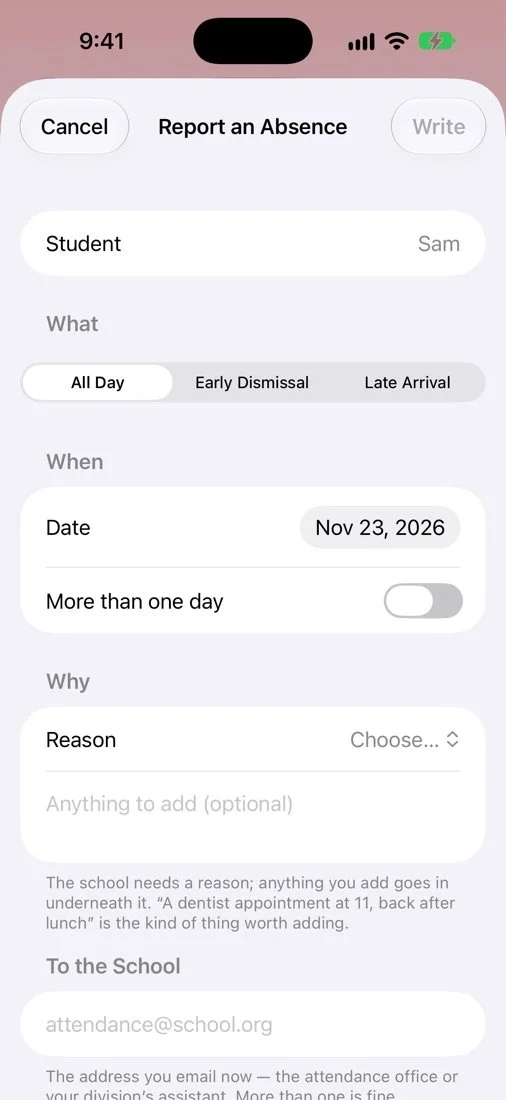
Shown on iPhone. Android has the same form.
“Are we going to be late?”
Drop-off counts down for you
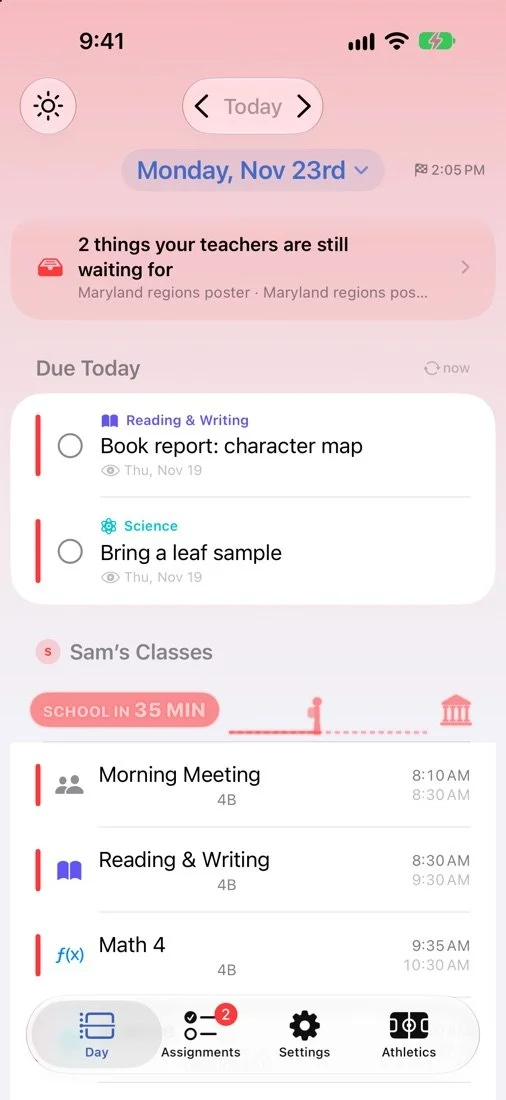
In the hour before first period, the top of the day shows how long until school starts, with a little student making their way to the school. Set a drop-off reminder and it accounts for the drive.
“What does he have right now?”
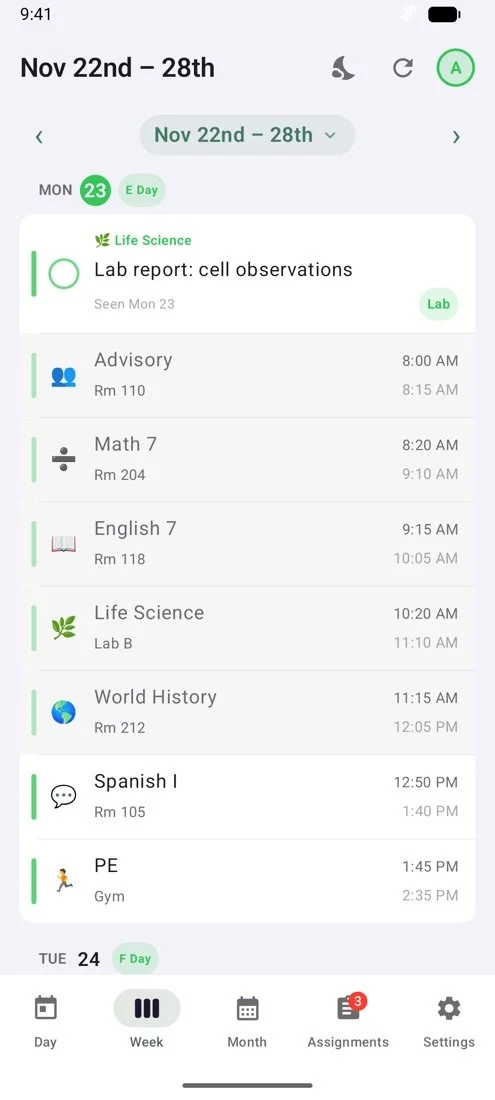
The whole day at a glance
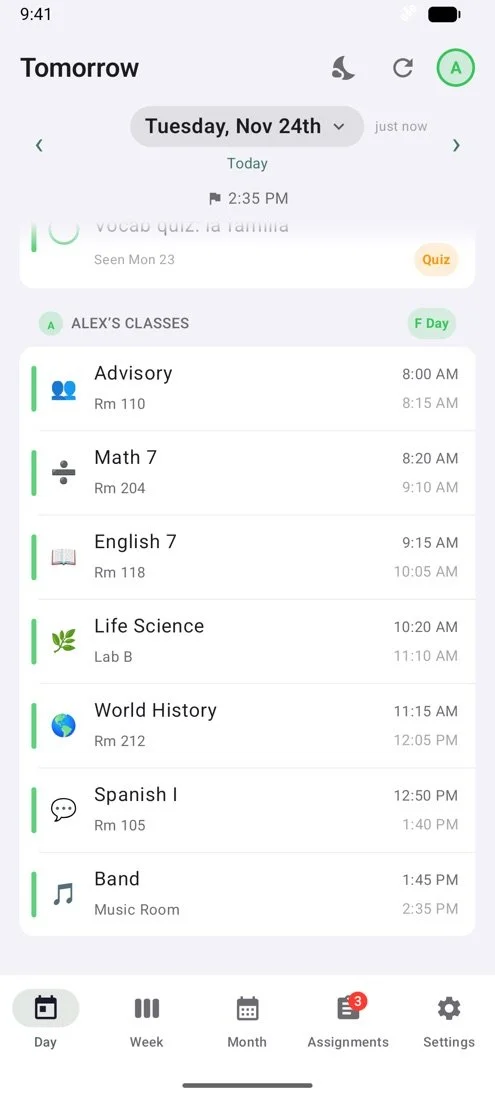
Every class with its room and time, the one they’re in right now highlighted, and what’s due today above it. Two kids at two schools? Tap their initials to switch.
- Half days and late starts get a banner, so they don’t catch you out.
- Games and events show up on the same day, with a “leave by” time for away games.
“I need to tell every teacher she’s leaving early for the orthodontist.”
Email today’s teachers in one go
One message to every teacher on your child’s timetable that day, each listed with their class and time, any of them untickable. The other parent can be copied automatically, set per child.
- Email any teacher straight from a class or an assignment.
- Snap finished homework and send the photos to the teacher.
“Wait, is today early dismissal?”
Pickup reminders that know the schedule
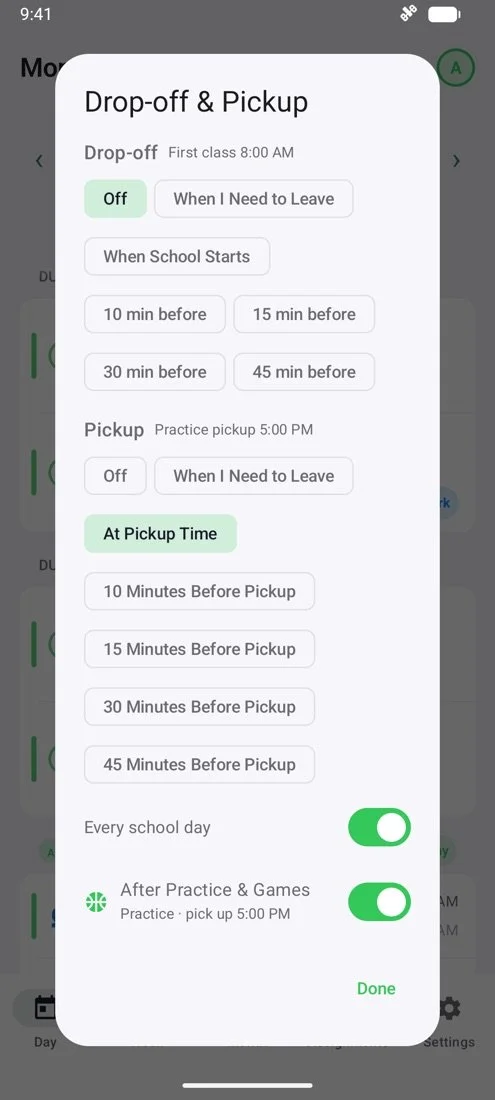
Tap the day’s end time to get a reminder before the last bell, or after practice and games on days there’s a team. Each child gets their own, and days off and early dismissals are already on the calendar.
“Is it a game today? Home or away? When are they done?”
The coach’s schedule, kept up to date
Bring in the coach’s season as a PDF and every practice and game lands on the day, with dismissal and pickup times. When the coach emails a change, tap the game to change it.
- Away games get directions to the other school.
- See just what’s next, or the whole season at once.
- The pickup reminder can follow practice instead of the bell.
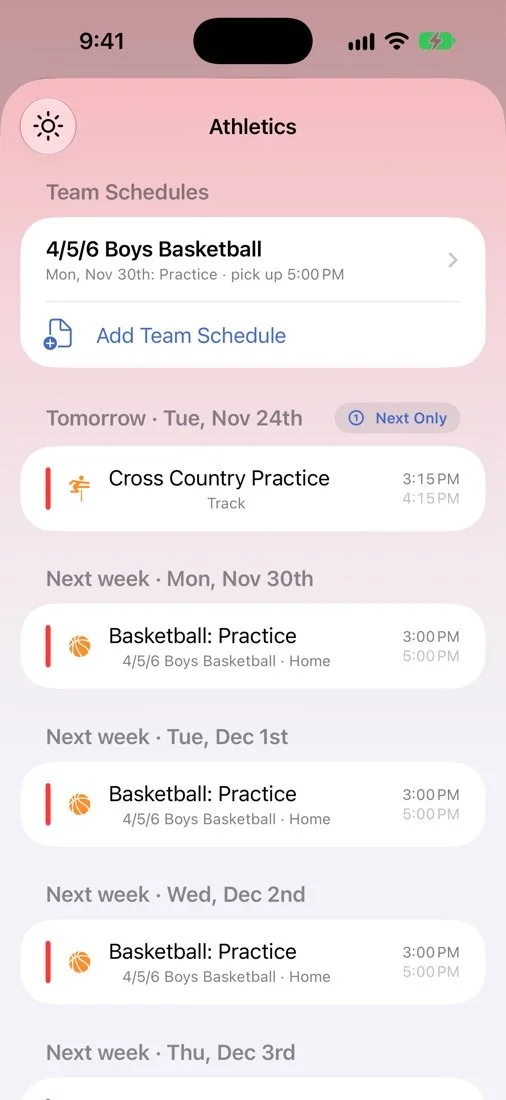
Shown on iPhone. Android has the same screen.
“Do you have anything due tomorrow?” “No.” (They do.)
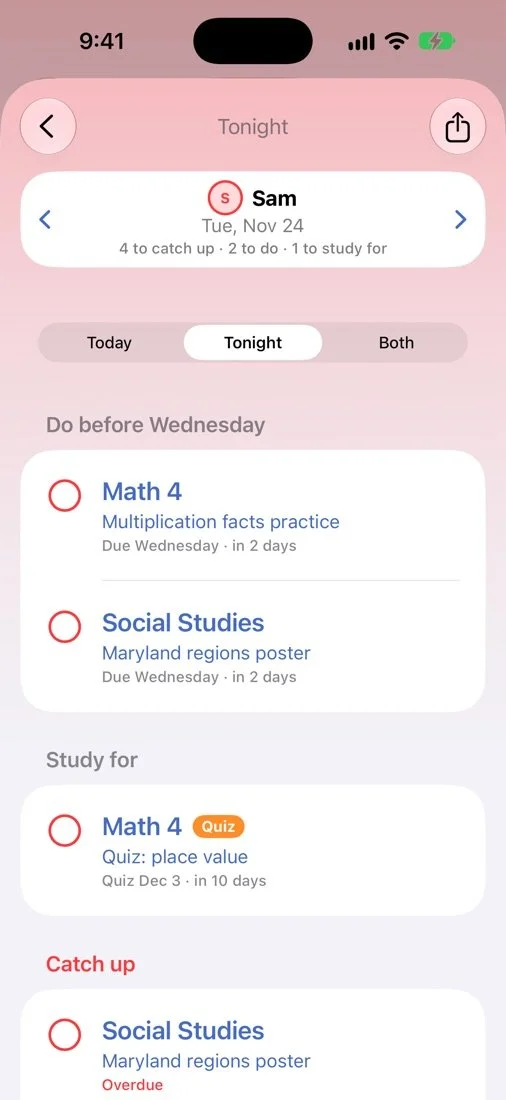
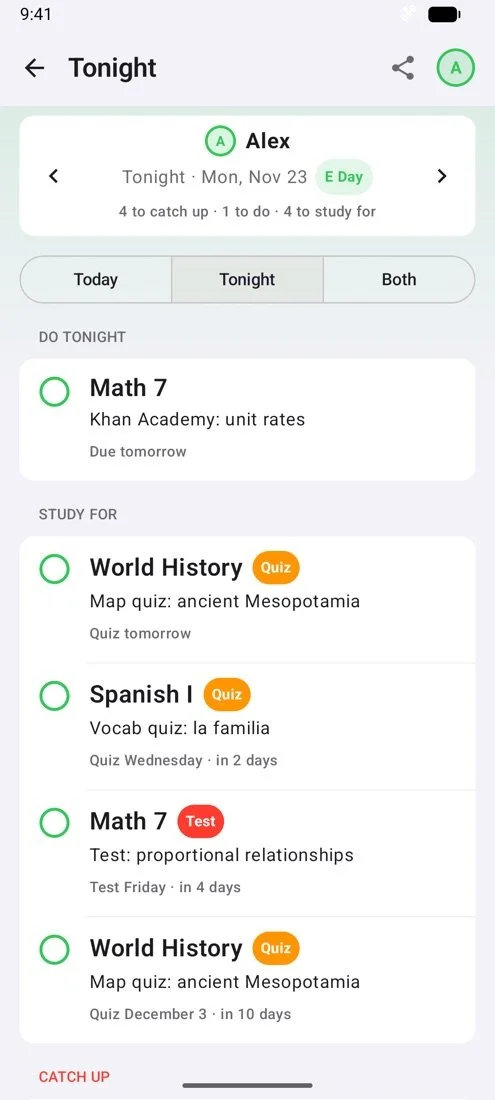
Tonight, in one list
What to finish tonight, and the quizzes and tests coming up to study for, pulled from every class. Check things off together, and both parents see the same list.
“Nine tardies? Since when?”
Every tardy and absence, all year
Attendance from the first day of school, with totals at the top and unexcused marks in red. Turn on the alert and you’ll hear about a new unexcused mark the day it lands, while it can still be excused.
- Thu, Nov 12 · MathUnexcused
- Tue, Nov 3 · AdvisoryExcused
- Fri, Oct 23 · EnglishUnexcused
Just added
The newsletter, read for you
The school’s weekly newsletter split into dates to know and things that need an answer, each with its own button to the form, and a reminder if you want one.
Ask the mascot iPhone
Ask out loud, “what’s due tomorrow?”, and the school mascot answers from what’s in the app. It runs entirely on the phone, on iPhones with Apple Intelligence, and works through Siri too.
Your day on the Lock Screen iPhone
While school is on, the Lock Screen shows the class they’re in, its room and how long is left, then where they’re headed next.
Days worth marking
Birthdays, holidays, and the school’s own spirit and dress-up days, each with a small drawing beside the date.
Your tabs, your way
Choose which tabs each child’s app shows, or give everyone the same bar.
A School Hub icon
A schoolhouse under a cloud, or swap in your school’s crest. iPhone
Also in the app
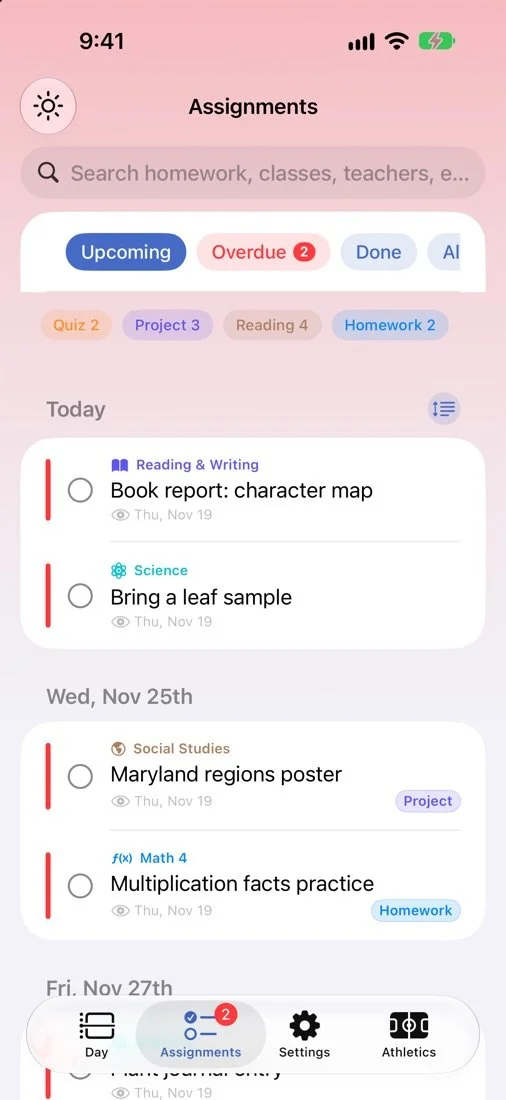
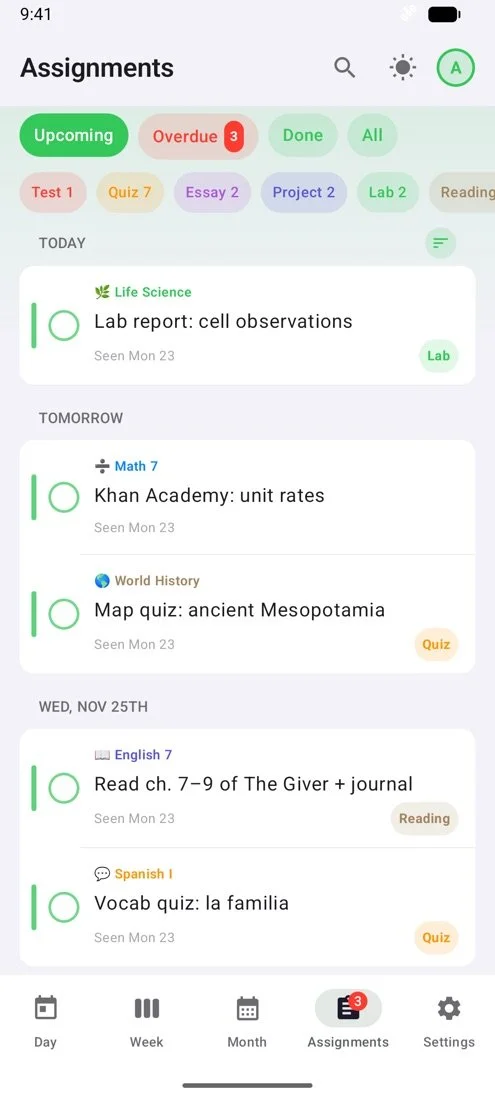
Assignments, sorted
Upcoming, overdue and done, with tests, quizzes and essays tagged. Search across homework, classes and teachers.
Grades that make sense
For schools that publish them: what each piece counts for, which grades are new, and an estimated GPA.
Both parents, one list
Share with Family puts the kids, the checkmarks and the settings on each parent’s phone. iPhone
Widgets and Apple Watch
The next class and what’s due, on the Home Screen, Lock Screen and wrist. Android has a home-screen widget too.
Notifications that matter
Homework due tomorrow, a morning summary, days off, new grades, missing work.
Your calendar, too
Send events, days off and games to your phone’s own calendar, and share them with the grandparents.
Will it work for my school?
- If your school portal’s address ends in myschoolapp.com (Blackbaud), yes.
- Green Acres and St. Andrew’s are ready now. About 20 more DC-area independent schools are coming soon.
- Canvas works too, for grades and assignments.
What about my password?
- You sign in on your school’s own login page, inside the app.
- The sign-in is kept in your phone’s Keychain and never leaves the device.
- Family sharing goes through your own iCloud. Each parent signs in to the school themselves.
- The sign-in is kept in the app’s own private storage on your phone and never leaves it.
- No School Hub account and no servers: your children’s information goes from the school straight to your phone.
It’s in testing now
School Hub is being built by a parent, for parents, and tested by a few families before it goes on the App Store and Google Play.
iPhone and iPad
- On your iPhone, tap Join the School Hub beta below.
- It takes you to TestFlight, Apple’s app for trying apps before they’re released. Download it, then tap Install for School Hub.
- Open School Hub, pick your school, and sign in the way you normally do.
testflight.apple.com/join/2JnFECNS
Android
The same school day on Android phones: Today with the class that’s on now, Assignments, Tonight, Week and Month, Grades and attendance, games, the school menu with absence reporting and Email Today’s Teachers, drop-off and pickup reminders, the class in progress on the lock screen, and a home-screen widget.
Not on Android yet: family sharing and a watch app.
Two taps, on your Android phone, signed in to the Google account you use for the Play Store:
- Join the testers group. Tap Join group at the top. (Ignore “You don’t have permission to access this content”: the group has no posts, it’s only the list of testers. Nobody sees your email but me.)
- Turn on testing. Tap Become a tester, then download it on Google Play and install School Hub. Updates arrive on their own.
groups.google.com/g/schoolhub-testers
2. Become a testerplay.google.com/apps/testing/com.cf.schoolhub
If Google Play says the app isn’t available, give it a few minutes after joining the group, and check the Play Store is signed in to the same account.
Screens show demo students. School Hub isn’t made by or affiliated with Blackbaud, Instructure or any school.